How to create a Steam account: quick guide
How do I create a Steam account?
You don't have a Steam account yet? No worries.
This guide will walk you through setting up a new Steam account, which you'll need to activate the game you purchased.
You can create a Steam account either on the Steam website or directly inside the Steam client.
Both methods work almost the same.
If you don't have the Steam client installed yet, you can grab it using this guide.
Creating an account on the Steam website
-
Open the Steam website.
-
Enter your email address in box #1, confirm it in box #2, and select your country of residence.
Check the reCAPTCHA box, complete the verification, accept the Steam Subscriber Agreement and the Valve Privacy Policy, and click Continue.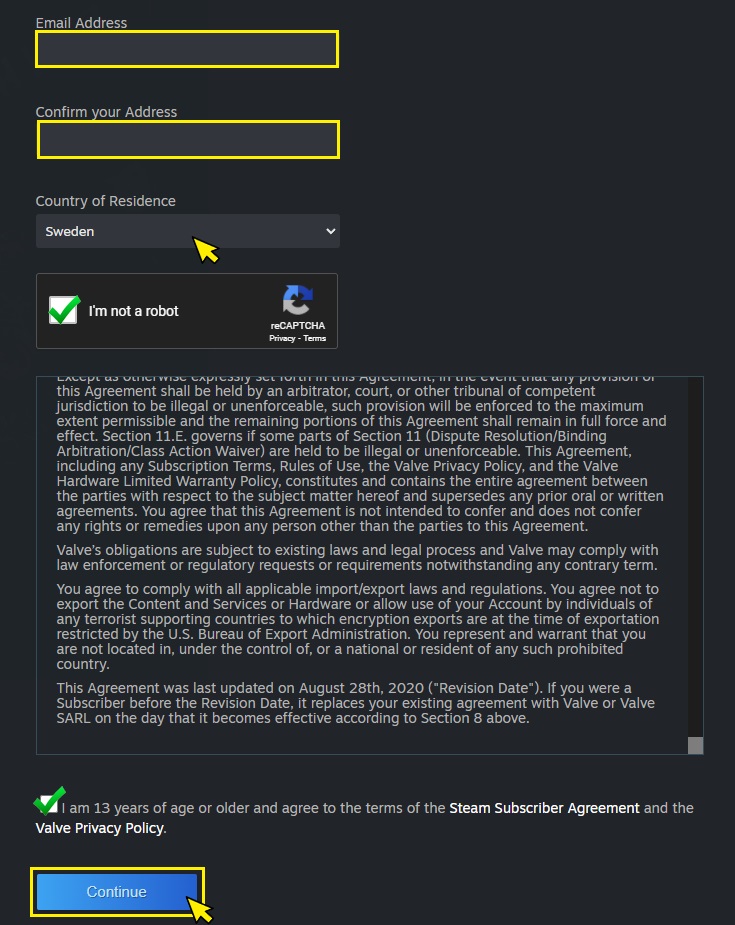
-
Verify your email.
Check your inbox and click the verification link.Important: do not close the "Verify your email" browser tab.
You'll need to return to it after completing the verification.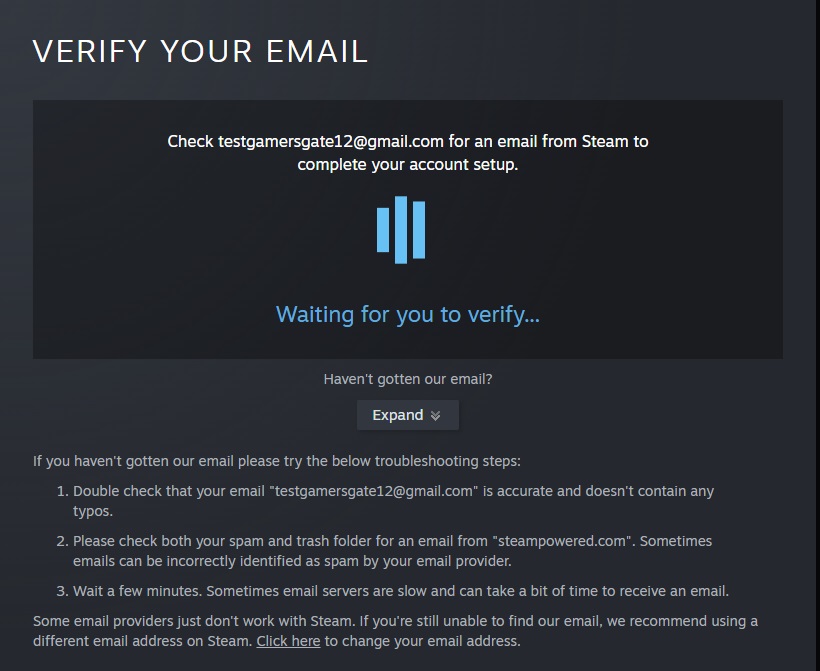
-
After verifying your email, go back to the "Verify your email" tab.
You will be asked to choose a Steam username and password.
Enter your desired account name in the Steam Account Name field, then enter your password in the Choose Password field, confirm it, and click Done.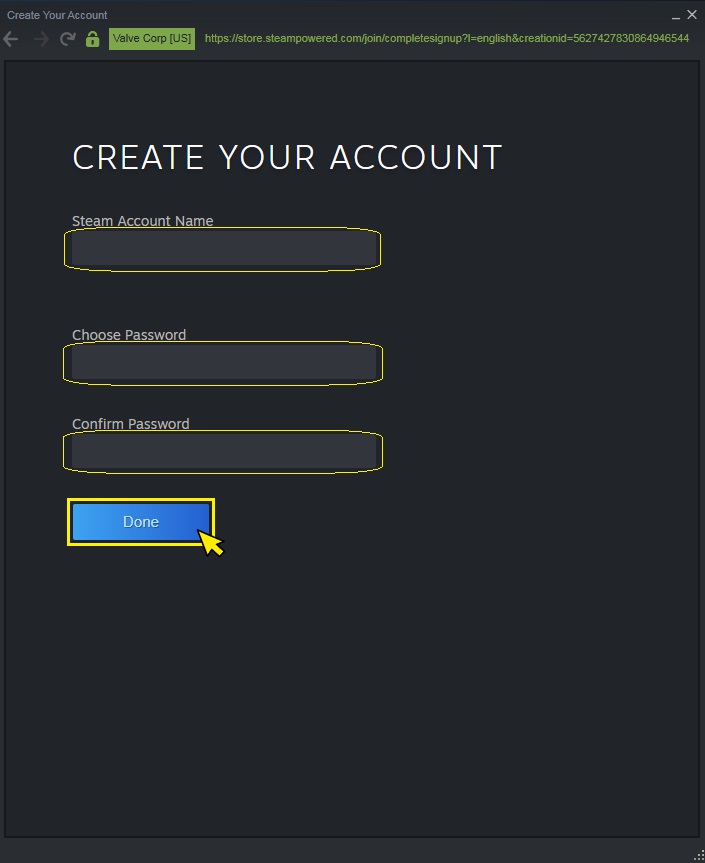
That's it.
You can now sign in and activate your purchased game.
Creating an account using the Steam client
After installing the Steam client, launch it from the Start Menu or your desktop shortcut.
Click the Create a new account button.
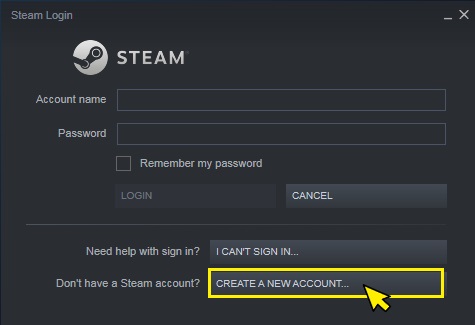
The following procedure is essentially the same as on the Steam website, so you can follow the steps described above.